
How to get started
Get your devices ready.
Install Hoopy on your iPhone and paired Apple Watch. Allow the workout or motion permissions needed for the Watch features you choose. Keep your devices connected when using the companion experience.
Pick a focus for the session.
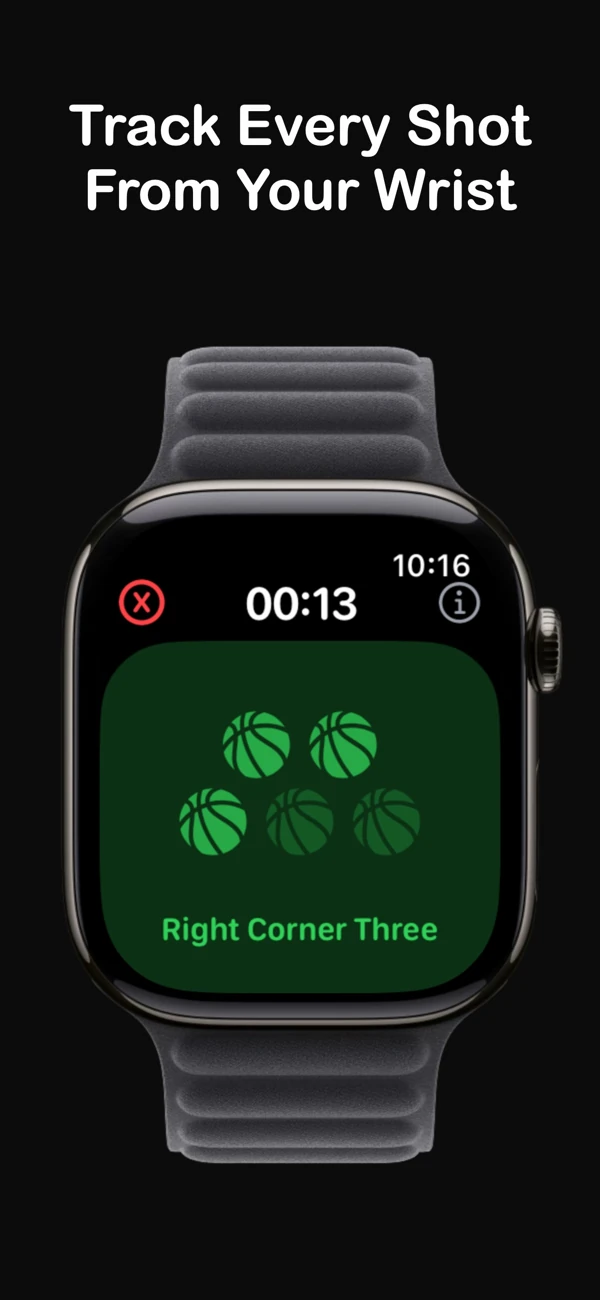
Choose the shooting practice you want to record. For supported recorded Coach drills started on iPhone, the paired Watch can show your next shot, spot, and rep progress.
Track, check, and save.
Use the Watch controls during practice and correct the record where needed. Review your saved session on iPhone before using it to plan the next workout. Shot detection is assistive and may miss or misclassify attempts.
Why use a Watch during basketball practice?
A wrist-based interface can make it easier to record a workout between reps. Hoopy gives you another way to keep track of practice while your phone is available for recording or session review.
Use the session record to answer practical questions: What did I practice? How many attempts did I record? Did I spend time on my intended shot type? The record supports your judgment; it does not replace a coach watching your technique.
Watch tracking and phone video review work together.
Hoopy’s iPhone app supports recording or importing a basketball shooting video for on-device analysis. When you record a supported Coach drill with a paired Watch, Watch detections can be reconciled with the video before review. Check and correct the proposed outcomes before saving.
A Watch is optional. You can log sessions and use supported video features on your phone. Hoopy for Android is available separately on Google Play; the Apple Watch companion works with iPhone.
What the numbers can tell you
Use similar drills and shot types when comparing sessions. A short finishing drill and a deep-three workout ask different things of you, so a single shooting percentage cannot describe your whole game.
Hoopy does not guarantee automatic detection accuracy, a particular shooting improvement, or game performance. Some features require Hoopy Legend; the app shows available plans and prices before purchase. Install availability depends on your device, operating system, region, and store.
Learn more about privacy and your data, read the Terms of Service, or get support.